Site Kit page metrics
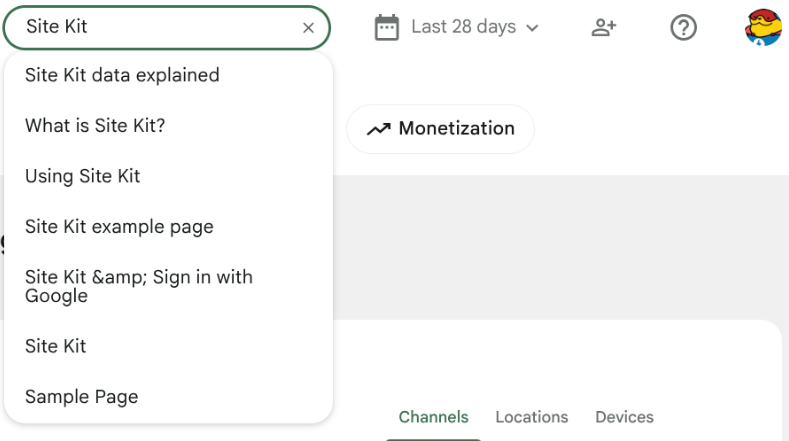
The URL Search at the top of the Site Kit dashboard allows users to view dashboard metrics for a specific page. Typing in this box conducts a search of all of your site’s pages and posts and auto-suggests one based upon your input.

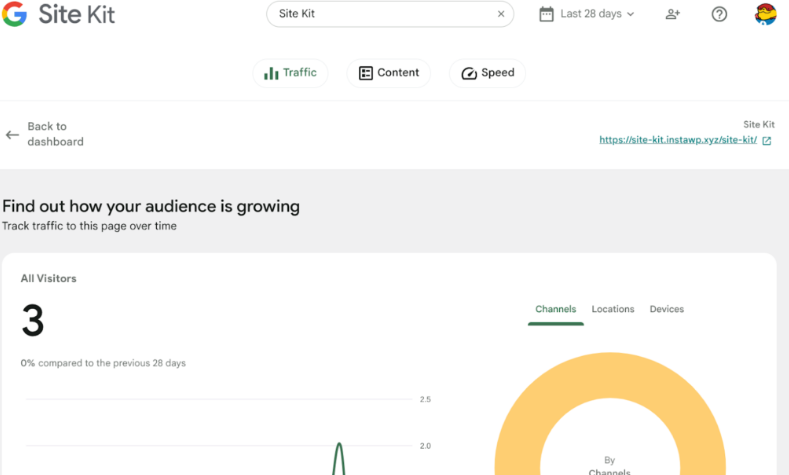
When a page or post is selected from the search results, the Site Kit dashboard displays metrics specific to the selected page. To go back to the main Site Kit dashboard with data displayed for all site URLs, select Back to dashboard at the top of the screen.

Site Kit in the WordPress toolbar
The Site Kit tab appears in the WordPress toolbar for logged-in administrators if the toolbar is enabled. This tab allows users to view useful metrics for the last 28 days based on the current URL being viewed.


Use the Site Kit tab in the toolbar
To view the Site Kit tab in the toolbar, visit the front end of your site, then hover over the Site Kit tab on the header of your site within the WordPress Admin toolbar. If you don’t see it, check these two things:
- Ensure you have the WordPress toolbar enabled for your user profile in Administration > Users > Your Profile > Show Toolbar when viewing the site.
- Ensure that the Site Kit tab is enabled in the Site Kit settings at Site Kit > Settings > Admin Settings > Display relevant page stats in the Admin bar.




View metrics using the toolbar
With the Site Kit tab enabled in the toolbar, you can visit any URL on your website and hover over the Site Kit tab in the toolbar to view the Site Kit metrics. These metrics include:
- Total Impressions
- Total Clicks
- Total Users
- Total Sessions
This information is pulled from the Search Console and Google Analytics accounts connected to Site Kit.
For a more detailed overview of statistics for the URL that you are visiting, click the More details link, which directs you to the Site Kit dashboard with a detailed overview of metrics for that particular URL.

Troubleshoot the Site Kit tab in the toolbar
Unlike the Site Kit dashboard, the Site Kit tab in the toolbar is accessible from the front-end of your site. This feature can also display errors or notices from Site Kit, including:
- An error occurred while running mapSelect: Cannot read property getReport of null
- Analytics gathering data
- Search Console gathering data
- Insufficient permissions in Analytics: Your Google account does not have sufficient permissions to access Analytics data, so you won’t be able to see stats from it on the Site Kit dashboard
Some third-party plugins, in particular caching and/or optimization plugins, may have features that can modify or rearrange code on a site’s front-end. It’s possible you may encounter errors with the Site Kit tab in the toolbar with particular configurations using these plugins.